
Every conversation, and everything that should happen after it.
Engage brings WhatsApp, Instagram and Messenger into one inbox, then gives your team the tools to act on every message: AI agents that answer and book, automations that follow up, campaigns that reach the right people, and a CRM that stays current on its own.
- WhatsAppOfficial Business Platform
- Messenger
How Engage fits together. One message, followed all the way through.
Every feature on this page is one step in the same path. A customer writes, someone answers, the record updates, the follow-up happens, and the numbers show what worked.
01
A customer writes
On WhatsApp, Instagram or Messenger, or through a form on your website.
02
It lands in one inbox
Matched to a contact, with their whole history next to the thread.
03
Someone answers
A teammate, an AI agent or an automation, never two at once.
04
The CRM updates
Leads, deals, appointments and tasks are created as the conversation happens.
05
The follow-up runs
Reminders, re-engagement and campaigns go out on time, to the right people.
06
You see what worked
Reports on conversations, response times, campaigns, automations and deals.
One inbox for every channel. Shared by the whole team.
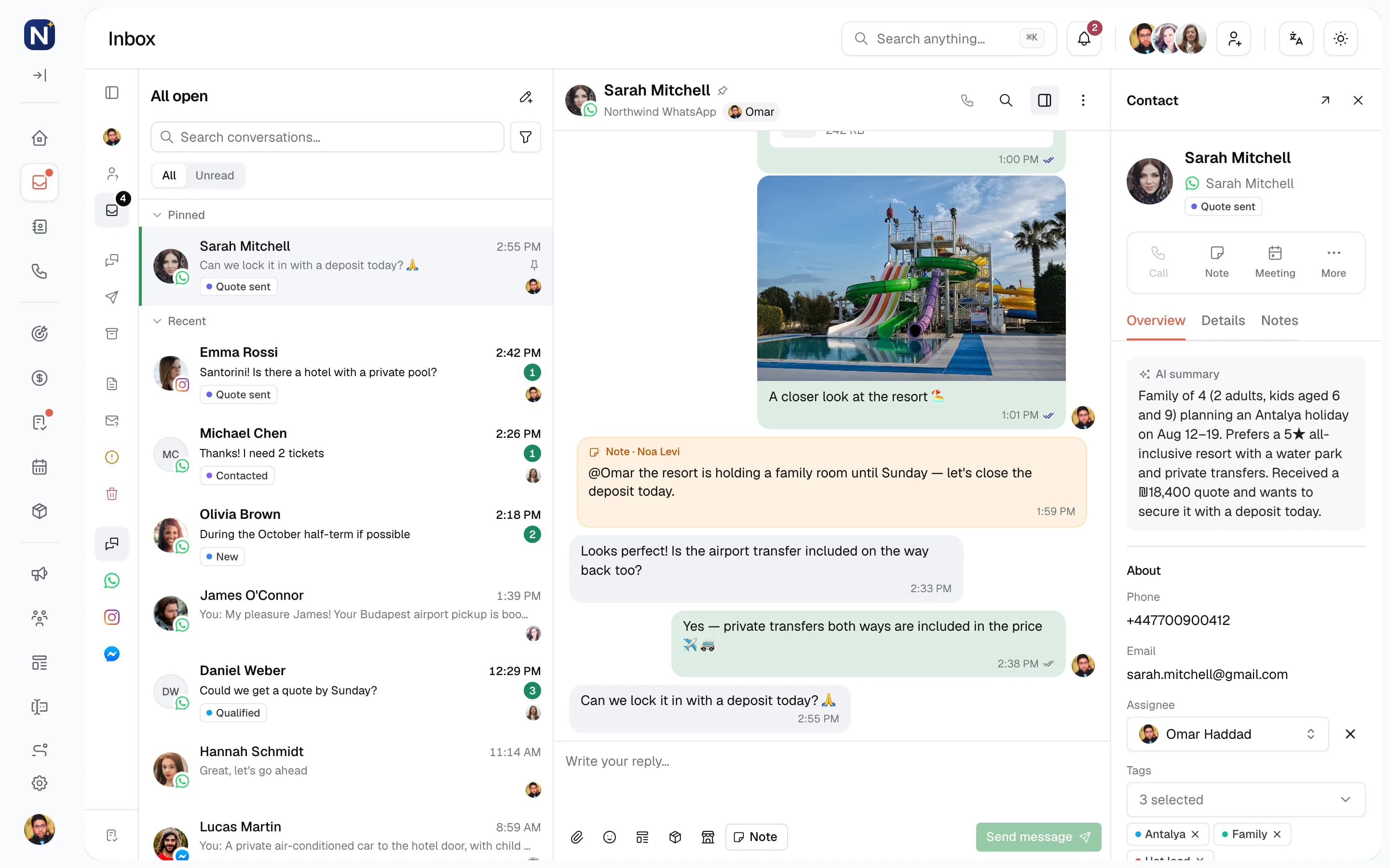
Every WhatsApp, Instagram and Messenger conversation arrives in one list. Each teammate signs in with their own account, sees what is theirs, and picks up exactly where a colleague left off.
Folders that match how you work
Assigned to me, Unassigned, All open and All closed, plus Spam, Trash and Unknown senders kept out of the way.
Ownership on every thread
Assign or unassign a conversation in one click. Everyone sees who owns it, so nobody answers twice.
Internal notes
Write a note inside the conversation for your team. Customers never see it.
The customer next to the chat
Tags, open deals, tasks, notes and the AI summary sit in the side panel. No tab switching.
Pin, unread, close, reopen
Keep urgent threads at the top, mark one unread for later, close it when it is done, reopen it when the customer writes again.
Search everything
Find any conversation by name, phone number or message text, and filter by channel, assignee, tag or status.
Take over from a bot
When an automation is running in a thread, a teammate can take over in one click and the automation stops.
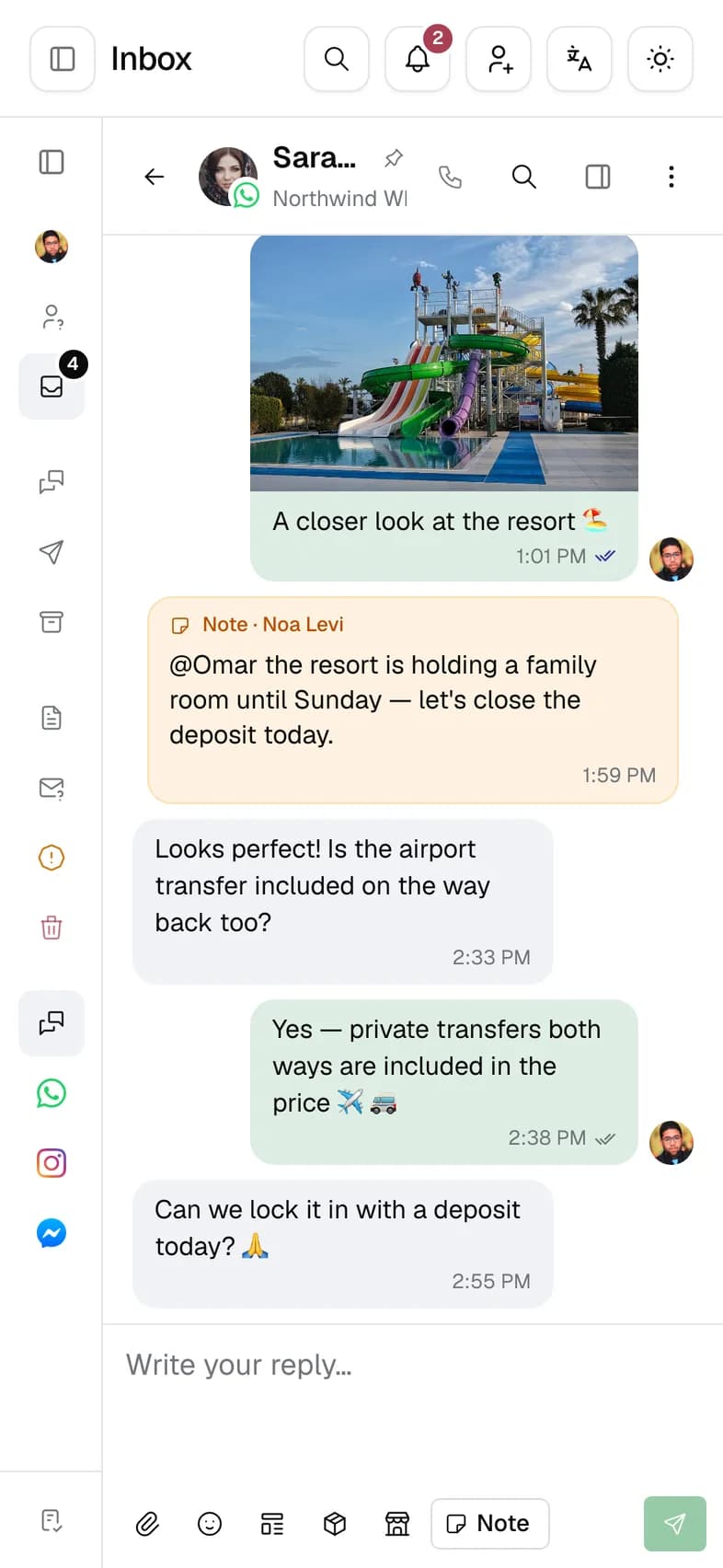
Works on your phone
The same inbox runs in the browser on your phone, so you can answer away from the desk.
Inbox folders
- Assigned to me
- Unassigned
- All open
- All closed
- Unknown senders
- Spam
- Trash
WhatsApp Business, done the official way.
Engage connects to the WhatsApp Business Platform from Meta. No unofficial apps, no browser extensions, no phone that has to stay on. Your number, your templates and your sending reputation are managed in one place.
Template approval
Synced with Meta
- DraftWritten in Engage, with variables, media and buttons.
- PendingSubmitted to Meta and waiting for review. The status syncs on its own.
- ApprovedAvailable in the inbox, campaigns and automations.
- RejectedEdit the template and submit it again.
Meta can also pause or disable a template. Approval is Meta's decision.
Your business number
Connect the number your customers already know. With coexistence, the WhatsApp Business app on your phone keeps working on the same number.
Template builder
Write a template with variables, a header image, video or document, a footer and up to three buttons. Engage checks it before you submit it to Meta.
Utility, marketing and authentication
Pick the template category up front. Utility updates cost the least, and are free inside an open service window.
The 24-hour window, handled
Each conversation shows whether you can still reply freely. When the window has closed, Engage offers an approved template instead.
Media, buttons and lists
Send and receive images, video, documents and voice notes, plus reply buttons and option lists.
Products in the chat
Share products from your catalog, up to 30 in one message, and receive cart orders back from customers.
WhatsApp calls
Incoming and outgoing WhatsApp calls are logged per contact. A missed call can start an automation.
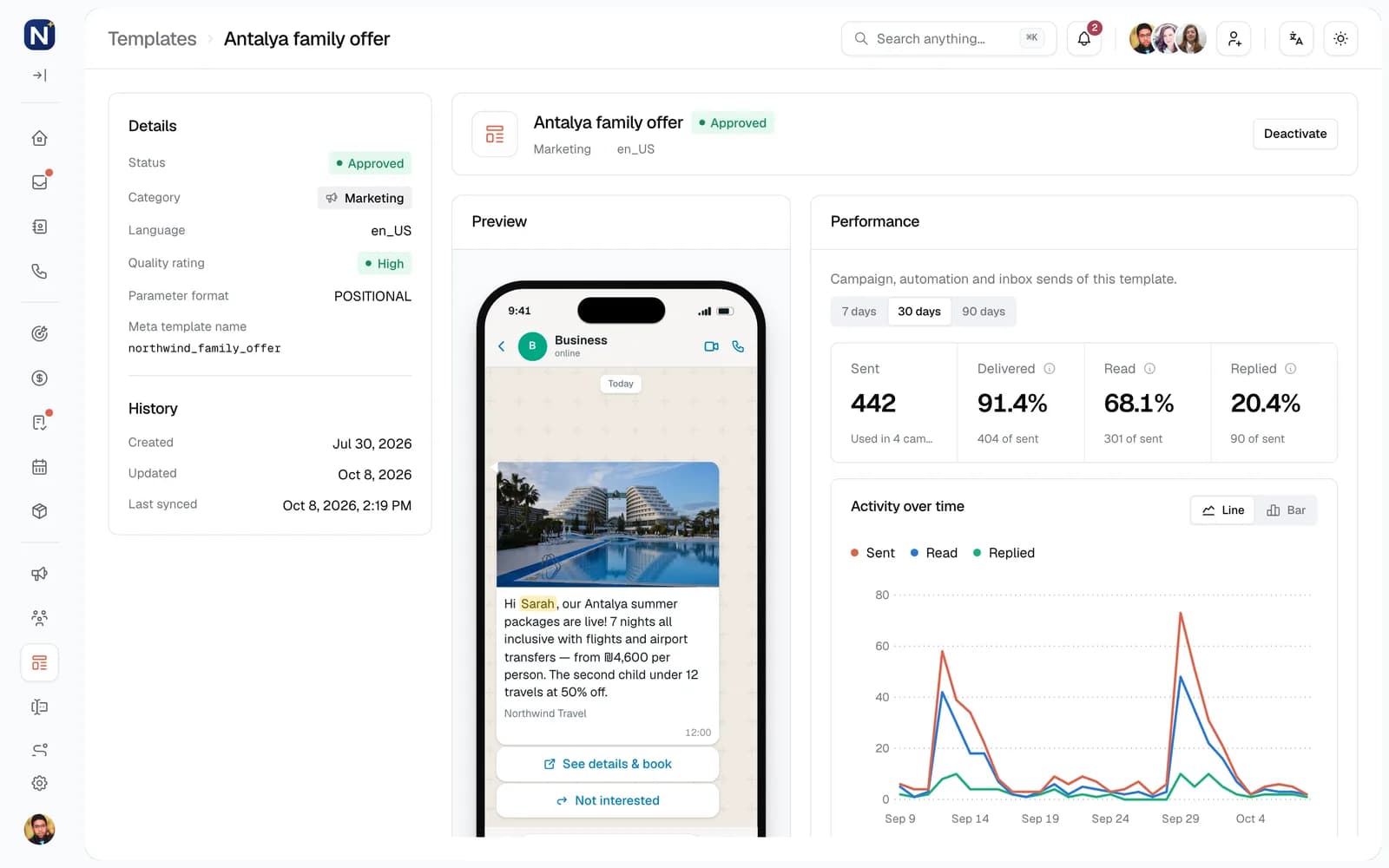
Per-template results
Sent, delivered, read and replied for every template, across campaigns, automations and the inbox.
AI agents that join your team. Not a chatbot in a corner.
An AI agent sits in your roster like any teammate. Assign it conversations and it replies in your tone, asks the right questions, books appointments, updates the CRM and hands the conversation to a person the moment it should.
MayaLive
AI agent · Sales
Hi! We're looking at Antalya for Aug 12–19, two adults and two kids. Can someone help?
AIHi Sarah, happy to help. How old are the kids, and would you like all-inclusive?
6 and 9. All-inclusive, and a water park would be great.
- Deal created · Antalya family · New
AINoted. A travel advisor can call you with options. Does tomorrow at 10:00 work?
Perfect 🙏
- Appointment booked · Thu 10:00 · Omar Haddad
AIBooked for tomorrow at 10:00 with Omar. He'll have everything you told me.
- Assigned to Omar Haddad
Contact summary
Written by the agent
- Trip
- Antalya, Aug 12–19
- Party
- 2 adults, 2 kids (6 and 9)
- Wants
- All-inclusive, water park
- Next
- Call Thu 10:00 with Omar
Pick a role, then make it yours
Start from Receptionist, Sales, Support or Follow-up, or from a blank agent. Name it, give it an avatar, and write its persona: who it is, what it does and where its limits are.
Choose the model
Each agent runs on the model you choose, from OpenAI or Anthropic. A separate, lighter model decides when a message needs a reply at all.
Abilities you switch on
Reply to messages, book appointments on a chosen teammate's calendar, create and update deals, update contact fields, and hand off. Nothing else.
Hands off at the right moment
When it is unsure, or the customer asks for a person, the agent assigns the conversation to the teammate you chose, or to another agent.
Waits for the customer to finish
People send three short messages instead of one. The agent waits for the burst to end, then answers once.
A living summary on every contact
After each turn the agent rewrites the contact's AI summary: what they want, what was agreed and what happens next.
Every action on the record
The Activity tab shows each conversation the agent worked and every step it took, including tool calls and handoffs.
Usage you can see
The Usage tab adds up model usage per agent over the last 30 days, by model.
Draft, live, paused
- Draft
- Created with a name. Write the persona, pick the model, choose abilities.
- Live
- Answers the conversations assigned to it. Going live needs a persona and permission to send.
- Paused
- Stops answering. Its conversations and history stay where they are.
Automations and agents work together: an automation can qualify a lead first and hand the conversation to an agent, and a message trigger can be set to leave conversations an agent is already handling.
Clear ownership, without a group chat on the side.
Every conversation, lead and deal has an owner. Work is shared fairly, discussed in place, and nothing depends on someone remembering.
Assignment as an automation
Runs top to bottom
IllustrativeTrigger
Instagram message received
Condition
Contact language is Arabic
Yes
Assign to Lina
Else
Round-robin among 4 teammates
Least loaded first
Assign and reassign
Give a conversation, contact, lead or deal to a teammate. The history moves with it.
Round-robin
Share new leads across chosen teammates from an automation, by strict rotation or to whoever has the least open work.
Tasks with due dates
Create tasks for yourself or a colleague, linked to a contact, lead or deal. Due and overdue tasks show in the inbox.
Notifications
Alerts when a contact is assigned to you, a message arrives, a call is missed or a quiet conversation is about to close, each with your own settings and sound.
Shared calendar
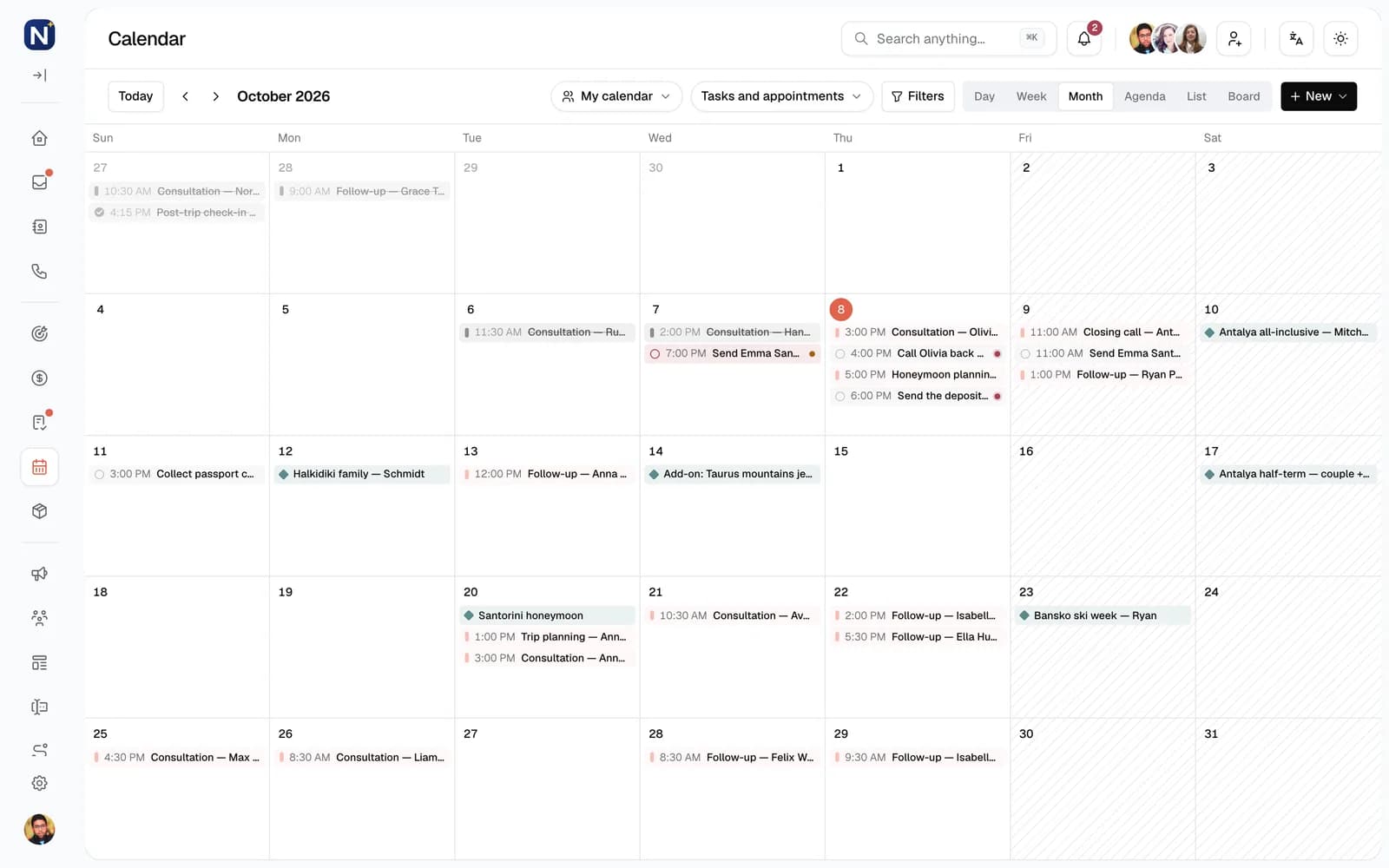
Appointments by day, week, month, agenda or list, for you or the whole team, with recurring series.
My performance
Each person sees their own workload, response times and conversions. Managers see the whole team.
Campaigns that reach the right people, and only them.
Send an approved WhatsApp template to a segment, now or on a schedule. Engage checks every recipient before anything leaves, skips people who should not get it, and shows what the campaign led to.
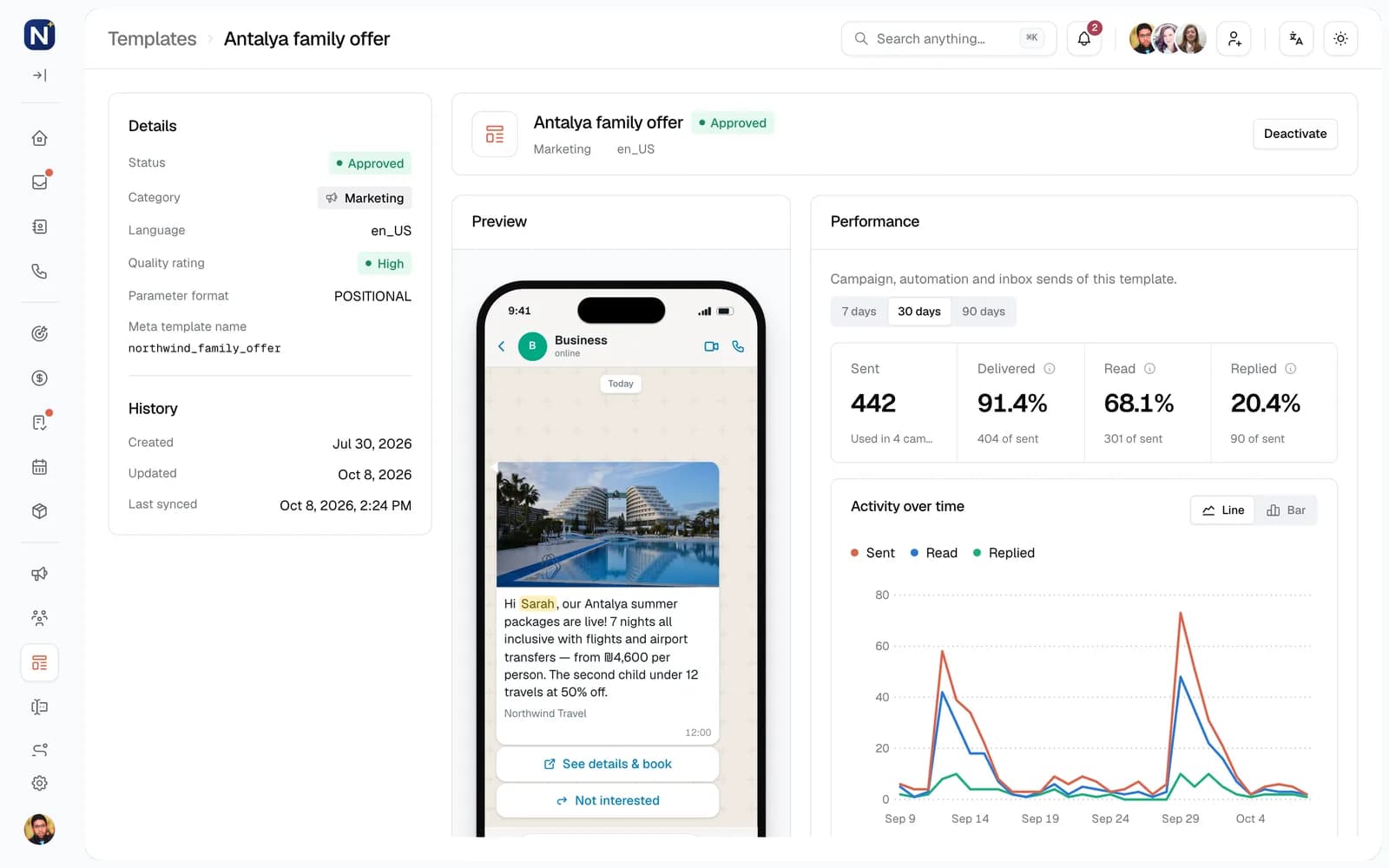
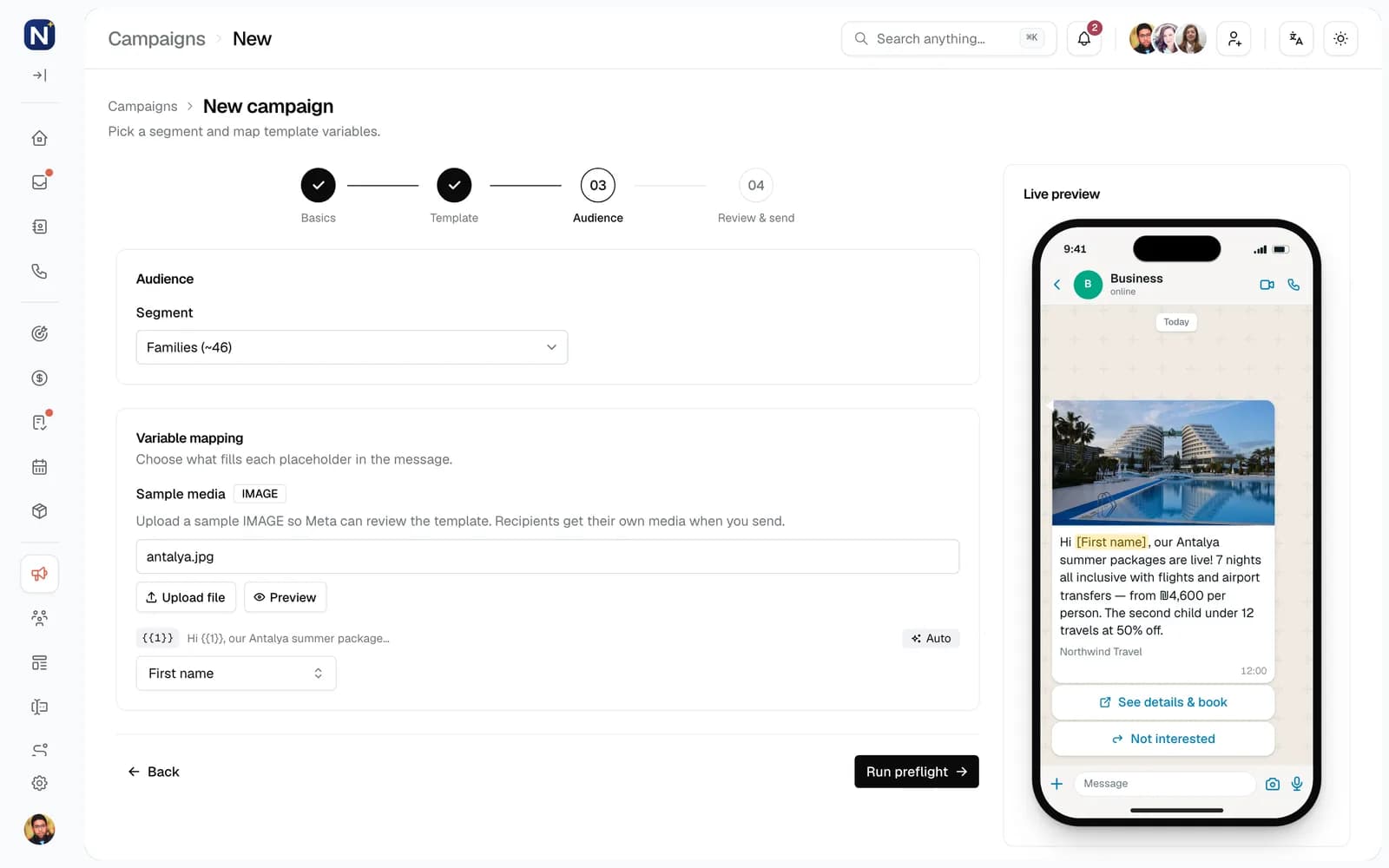
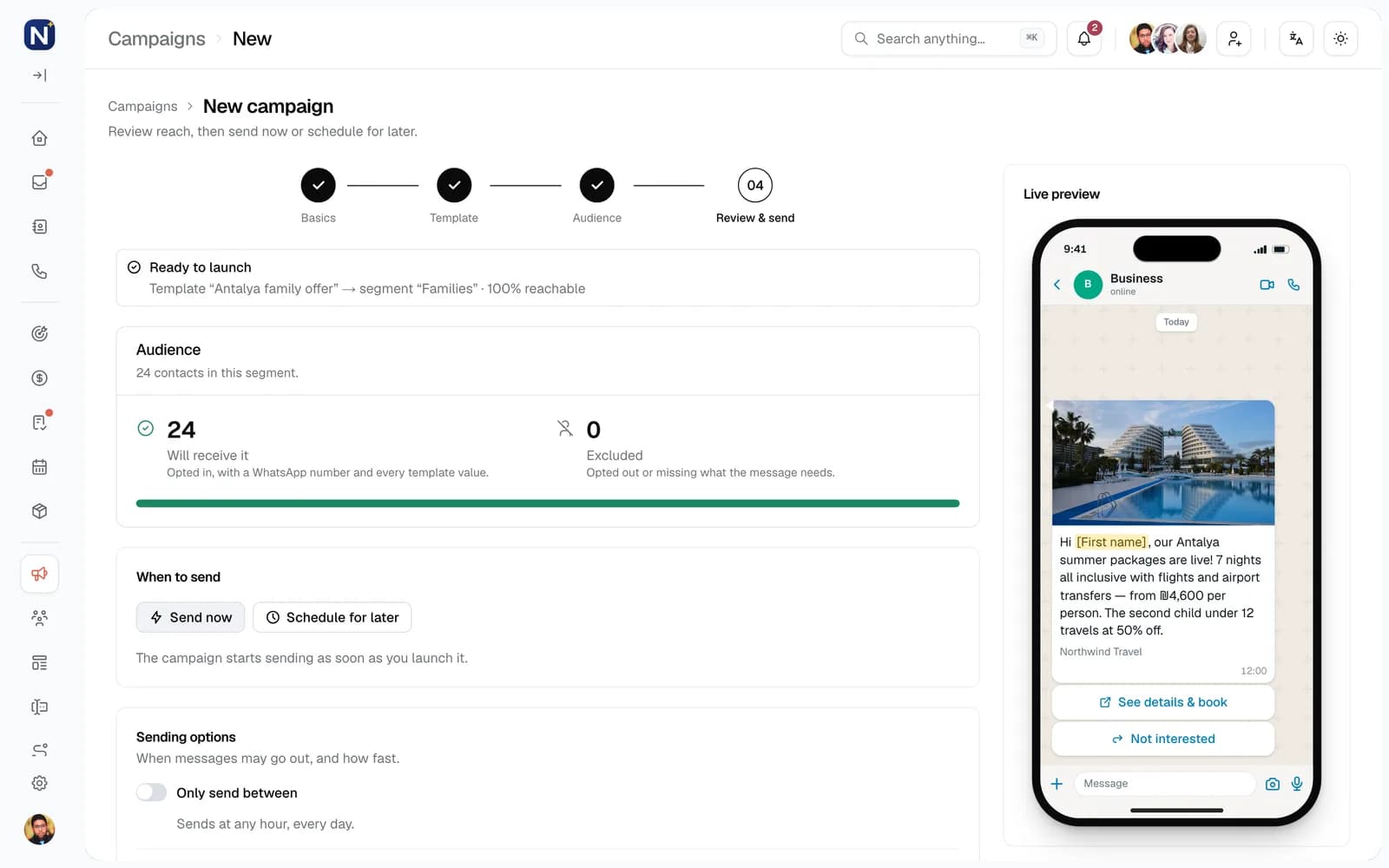
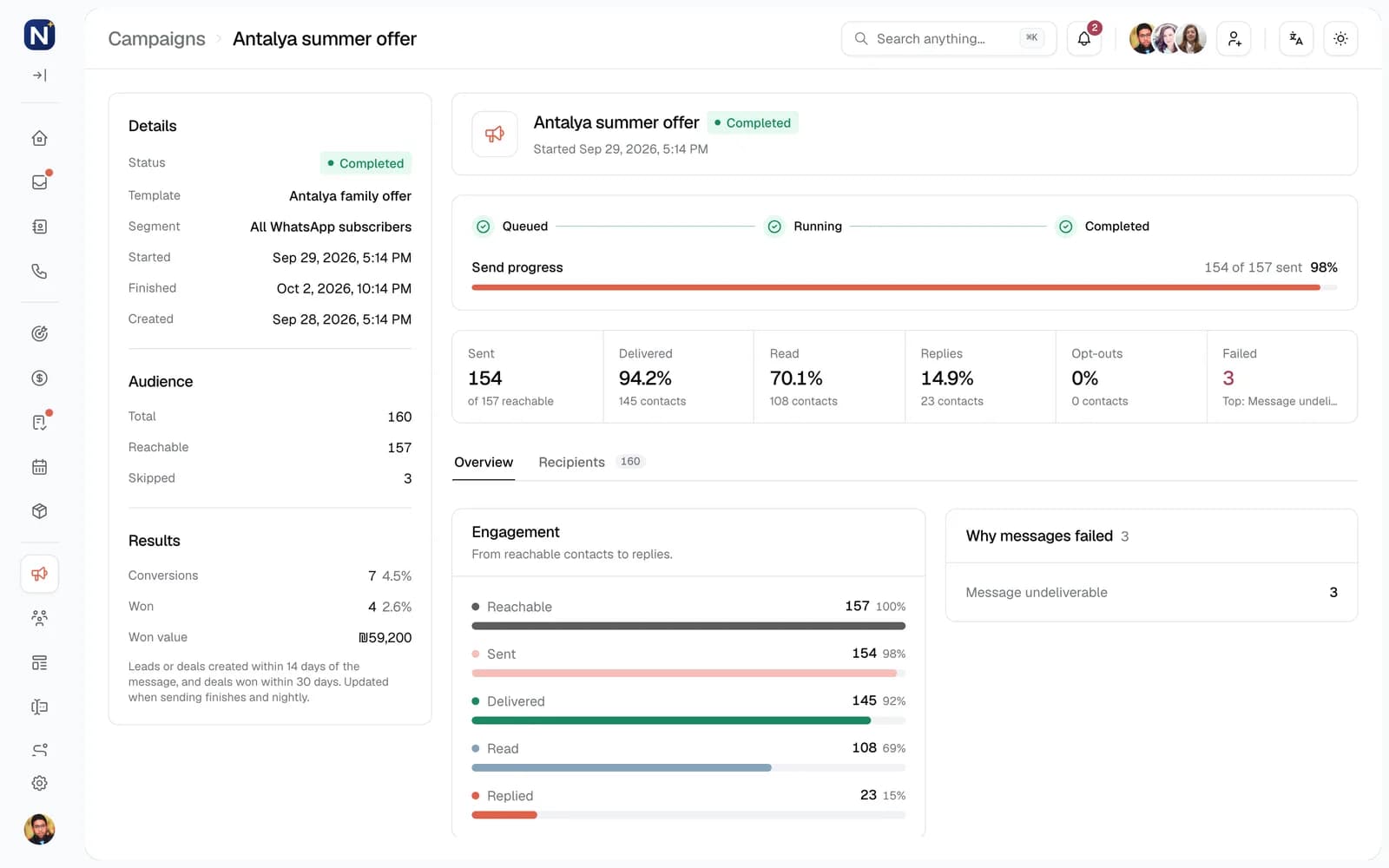
Choose an approved template on a connected WhatsApp number and see a live phone preview.
Segments that stay current
Group contacts by tags, fields, activity, language or deals. A segment updates as contacts change, and each campaign keeps a snapshot of who it was sent to.
Preflight before every send
Engage counts who is reachable and lists who will be skipped and why: unsubscribed, no WhatsApp number, or a missing variable.
Consent respected automatically
Unsubscribed contacts never receive campaigns. Contacts who turned off promotions still get utility updates such as appointment reminders.
Daily limits
A contact who already received the maximum number of marketing messages in the last 24 hours is skipped, and so is anyone WhatsApp is currently limiting.
Schedule, pause, resume, cancel
Send now or pick a date and time, limit sending to set hours, and pause or cancel while it runs. Messages already sent stay sent.
Stops itself when something is wrong
If Meta rates the number or template quality as low, or too many messages fail, the campaign pauses and tells you why.
Results in deals, not just reads
Leads and deals created within 14 days of the message, and deals won within 30 days, are counted for the campaign.
Replies come home
Every reply lands in the inbox with the campaign attached, and can start an automation of its own.
Automations that follow up for you. Built on a canvas, no code.
Pick what starts it, then drag steps onto a canvas: send a message, ask a question, wait, branch, update the CRM, call your own systems. Test it on your own number, publish it, and watch every run.
What can start an automation
Forty triggers across twelve groups. Each one can be narrowed with filters, business hours and re-entry rules.
Messages7
- WhatsApp message received
- WhatsApp message sent
- Instagram message received
- Instagram message sent
- Messenger message received
- Messenger message sent
- WhatsApp order received
Contacts5
- Contact created
- Contact updated
- Contact assigned
- Tag added
- Tag removed
Leads6
- Lead created
- Lead updated
- Lead assigned
- Lead status changed
- Lead converted
- Lead lost
Deals6
- Deal created
- Deal updated
- Deal assigned
- Deal stage changed
- Deal won
- Deal lost
Calendar3
- Appointment booked
- Appointment status changed
- Before appointment
Tasks3
- Task created
- Task completed
- Task overdue
Campaigns1
- Campaign reply
Consent2
- Contact subscribed
- Contact unsubscribed
Forms1
- Form submitted
Calls1
- Missed call
Schedules3
- Recurring schedule
- Relative to a date
- No activity
Manual1
- Manual start
What an automation can do
Send7
- Text
- Approved template
- Buttons or list
- Image
- Document
- Location
- Products from the catalog
Ask and wait4
- Ask a question and save the answer
- Wait a set time
- Wait until a date
- Wait for a reply or event
Decide5
- Condition branches
- Random split by percentage
- Go to step
- Run another automation
- End
Contacts and CRM11
- Create or update a contact
- Add or remove tags
- Update fields
- Create or update a lead
- Convert or lose a lead
- Create a deal
- Move a deal stage
- Mark a deal won or lost
- Book an appointment
- Create a task
- Subscribe or unsubscribe
Team and systems6
- Assign a teammate or round-robin
- Notify teammates
- Add an internal note
- Open, close or reassign the conversation
- Hand off to an AI agent
- HTTP request to your systems
Runs you stay in control of
Draft and publish
Edit a draft while the published version keeps running. Every published version is kept.
Test on your number
Messages from your test number reach the automation before it is published.
Re-entry rules
Run once per contact, skip while a run is active, allow every time, or wait a cooldown.
Business hours
Start runs only inside your hours, and let waits resume at the next opening.
Stops when a person steps in
End the run when a teammate replies, reassigns or closes the conversation, or when the contact sends a stop word.
Every run, step by step
See where each run is waiting, why it stopped, and what share of runs reached each step.
Start from a recipe
Ready-made automations you can publish as they are, or open and change.
WhatsApp welcome and qualify
Greet new WhatsApp contacts, ask their name and need, then create a lead.
Welcome form leads
Create a lead from each form submission and send a welcome template.
Round-robin new leads
Share new leads across your team and create a first-contact task.
No-reply reminder
Send a reminder if the contact has not replied within 24 hours.
Re-engage quiet leads
Message open leads that have not replied in 14 days.
Follow up on status change
Send a follow-up an hour after a lead reaches a chosen status.
Appointment reminder
Send a WhatsApp reminder one day before each appointment.
Missed call follow-up
Create a call-back task and message the caller after a missed call.
Thank you for won deals
Thank the customer when a deal is won and remind the owner to ask for a review.
Opt-out keyword
Unsubscribe contacts who reply STOP, then tag them and add a note.
A CRM that fills itself in from the conversations.
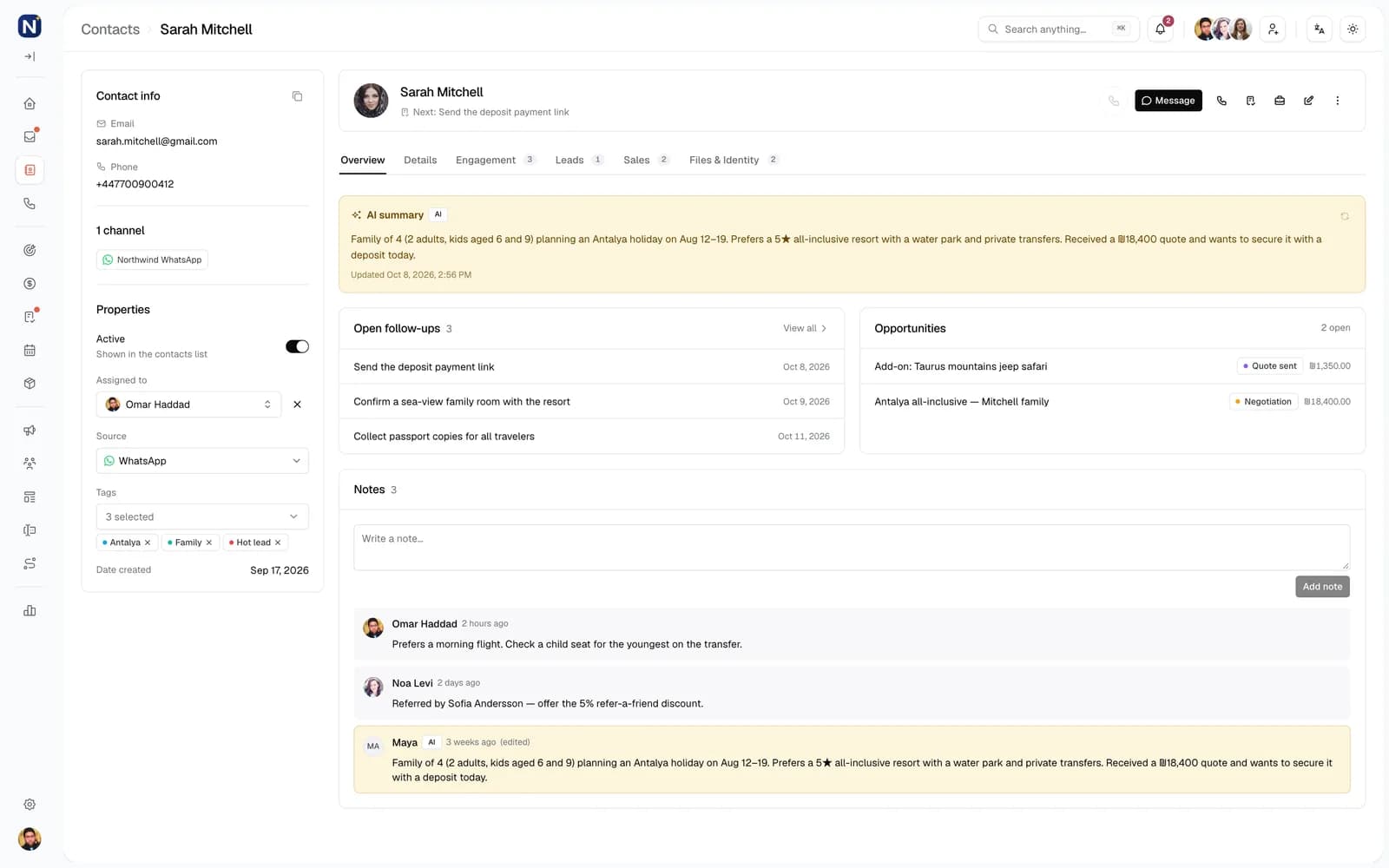
Contacts, leads, deals, appointments, tasks and products live next to the inbox. Agents, automations and forms keep them up to date, so the record is right when you open it.
Custom field typesOn contacts, leads, deals and appointments
Text
e.g. Passport name
Number
e.g. Group size
Date
e.g. Event date
Yes / No
e.g. Newsletter opt-in
Single select
e.g. Contract type
Multi-select
e.g. Interests
One contact per person
Phone, email and every linked WhatsApp, Instagram and Messenger identity on one record, with duplicates flagged.
Leads before deals
Qualify people as leads with your own open, converted and lost statuses. Converting creates a deal in the pipeline you choose.
Pipelines on a board
Drag deals between stages you define, or work from a table. Lost deals keep the reason, and it shows in reports.
Products and catalog
Sync your catalog from a JSON product feed on a schedule, or add products by hand. Attach products to a deal and its value adds up.
Appointments
Book with a contact, an owner and attendees. Changing the status can send the customer a template.
Tasks and notes
Tasks with due dates and owners, notes with history, documents on the record, all on one timeline.
Your own fields
Add custom fields to contacts, leads, deals and appointments, and use them in segments, conditions and templates.
Import and saved views
Import CSV or TSV files up to 10,000 rows with column matching, and save filtered views, private or shared.
Connect your website and your own systems.
Website forms become contacts and leads the moment they are submitted. Automations can call your systems and use the answer. Your product feed stays in sync on its own.
Form intake
Each form gets its own secure endpoint. Map form fields to contact fields, choose how duplicates are handled, and optionally create a lead for every submission.
- Draft, Testing, Active and Inactive states
- Match by phone or email, update or skip
- Rate limit per form
- Starts automations on every submission
HTTP request step
Call any URL from an automation with your own headers and a JSON body built from variables. Later steps read the status and the response.
- GET, POST and other methods
- Up to 20 headers
- Variables in the body and headers
- An error path for 4xx and 5xx responses
Product feed
Point Engage at a JSON feed of your products. It checks the feed, maps the fields you choose and syncs new, changed and sold items on a schedule.
- Field mapping with dot paths
- Preview before saving
- Scheduled sync
- Products ready to send on WhatsApp
Meta channels
WhatsApp Business Platform, Instagram and Messenger, connected through Meta with your own business accounts.
- Official WhatsApp Business Platform
- Instagram direct messages
- Facebook Messenger
- Webhooks verified on arrival
Need something else? Comark's development team builds custom integrations on request.
See what is working, and who is doing it.
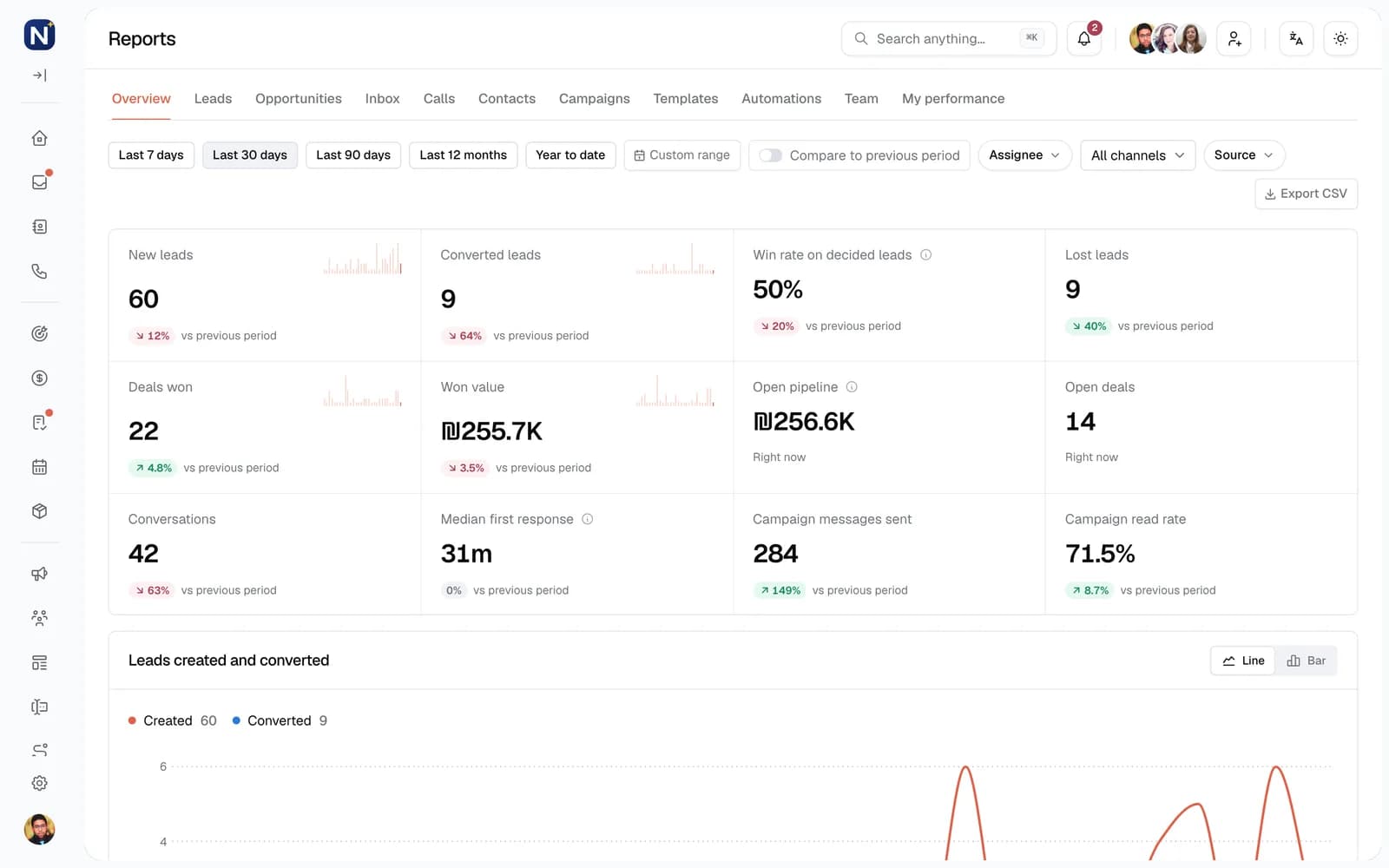
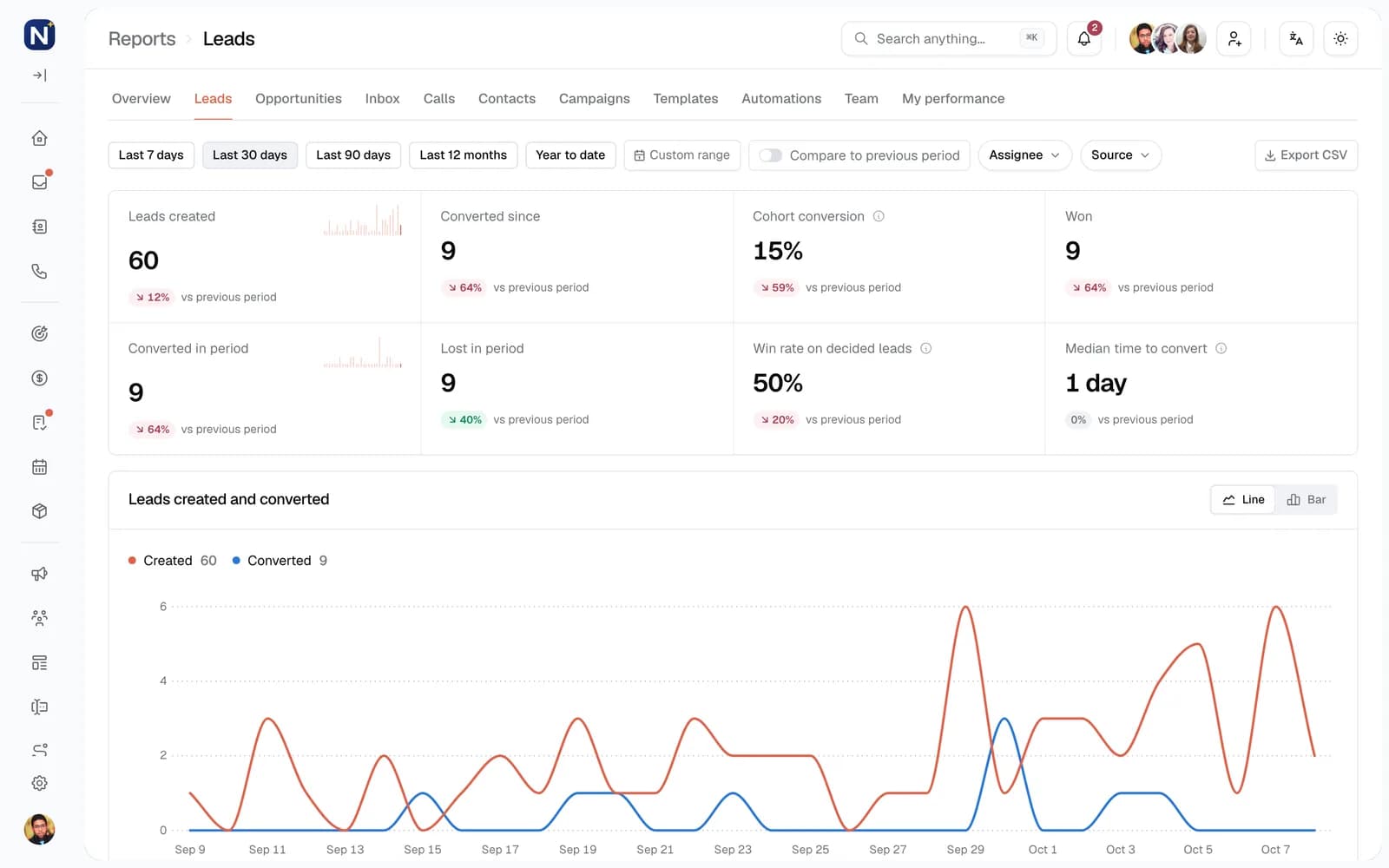
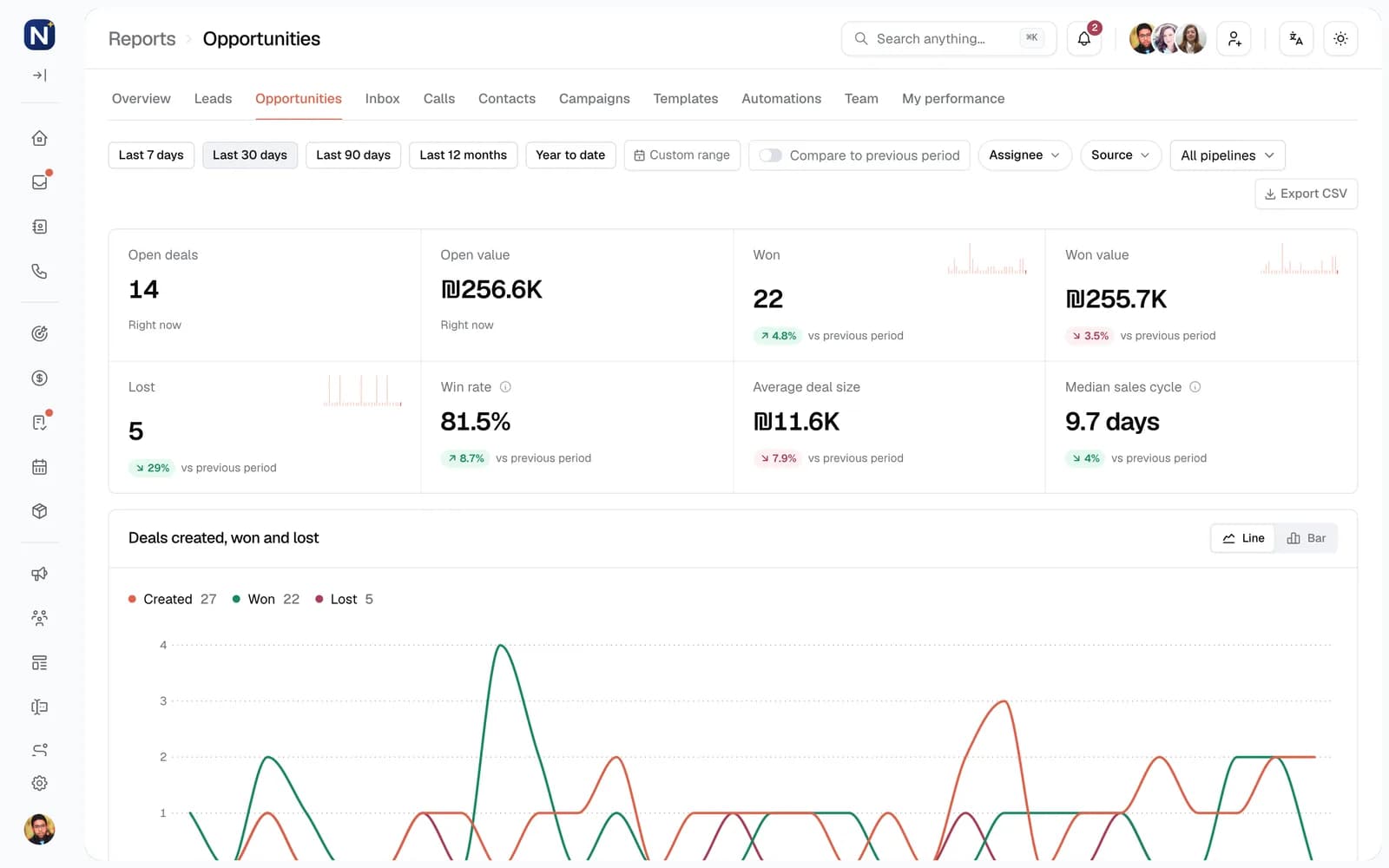
A dashboard for the day and twelve reports for the detail. Pick a period, compare it to the one before, filter by person, channel or source, and export to CSV.
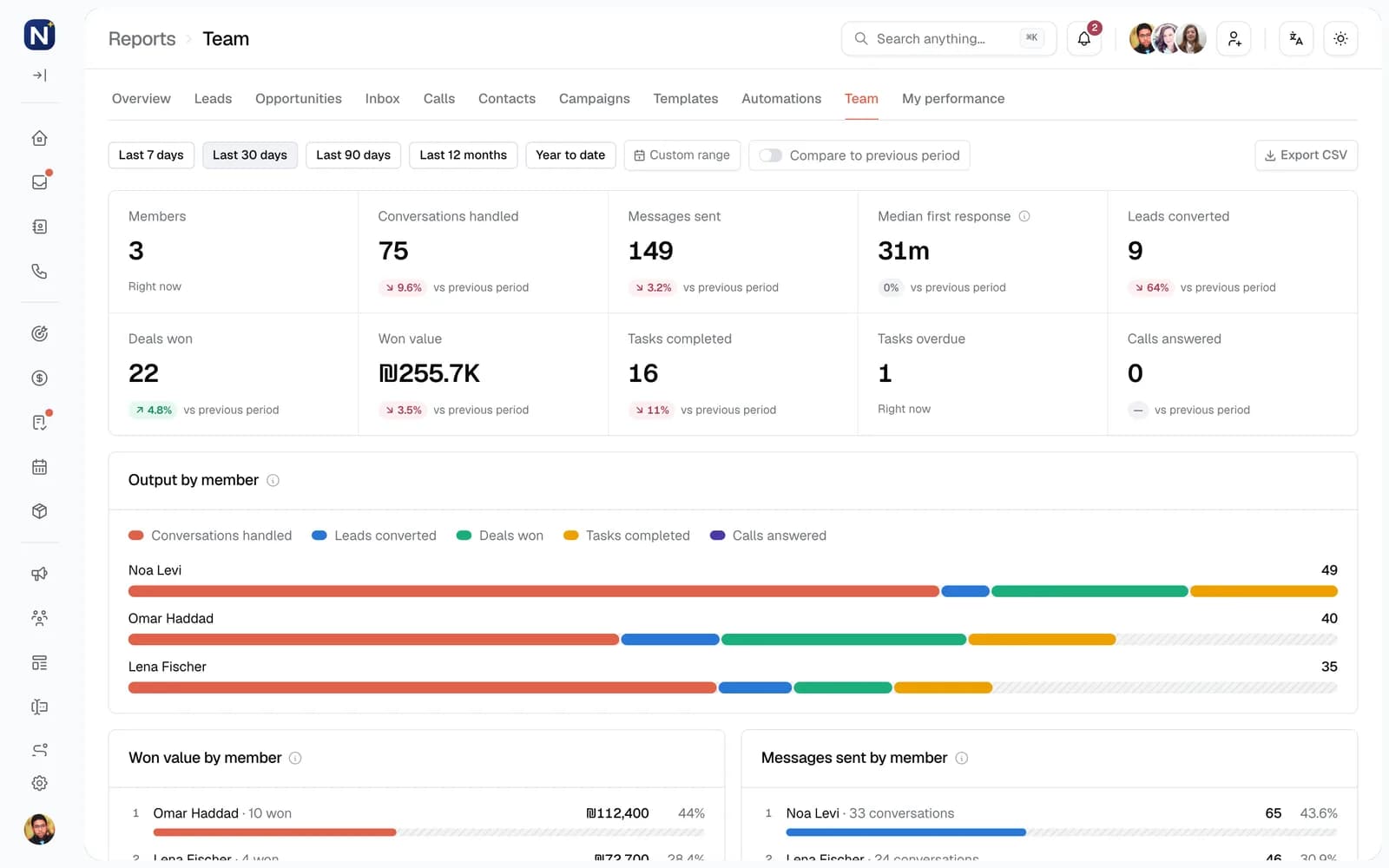
Twelve reports
Whole-workspace reports are open to admins and managers. Everyone else sees My performance.
- Overview
- Headline leads, pipeline, inbox and campaign figures.
- My performance
- Your own workload and results.
- Leads
- Volume, conversion, sources and time to convert.
- Inbox
- Conversation volume, response load and channel mix.
- Calls
- Call volume, answer rates and who picks up.
- Contacts
- Growth, sources, tags and owners.
- Deals
- Pipeline value, win rate and stage movement.
- Team
- Workload, response times, conversions and wins per person.
- Automations
- Run volume, success rate and drop-off.
- Templates
- Usage and delivery per template.
- Campaigns
- Send volume, delivery outcomes and results.
- Forms
- Submissions, success rate and form ranking.
Control who sees what. Hosted and run by Comark.
Roles and permissions per workspace, consent tracked on every contact, and a platform built, hosted and monitored by the Comark engineers who answer when you call.
Roles and permissions
Per workspace
| Permission group | Admin | Manager | Member |
|---|---|---|---|
| InboxView all conversations | Included | Included | Per grant |
| CRMContacts, deals, appointments, products, tasks | Included | Included | Per grant |
| MarketingTemplates, segments, campaigns | Included | Included | Per grant |
| AutomationAutomations, forms | Included | Included | Per grant |
| InsightsReports | Included | Included | Per grant |
| WorkspaceChannels, members, settings | Included | Included | Per grant |
Members see the conversations assigned to them. Each further permission is switched on per person.
Roles and permissions
Admin, Manager and Member, with further permissions switched on per person.
Organisations and workspaces
Run several brands or branches as separate workspaces under one organisation, each with its own channels and team.
Data kept apart
Row-level security on every table keeps each workspace's data separate at the database.
Encrypted channel tokens
Channel tokens are stored with AES-256-GCM encryption, and webhooks are verified with HMAC signatures.
Consent history
Every subscribe and unsubscribe is saved with who changed it and why. STOP and START keywords are honoured.
Operated by Comark
Backups, monitoring and updates are handled by Comark, whose processes follow ISO/IEC 27001, 27018 and 27019.
Engage vs. a shared WhatsApp phone.
Many businesses start with one phone passed between colleagues. It works until more than one person needs to answer, follow up or know what was promised.
| Capability | Shared WhatsApp phone | Comark Engage |
|---|---|---|
| 01Who can answer | Whoever is holding the phone | The whole team, each with their own login |
| 02After hours | Nobody, until the morning | An AI agent answers, qualifies and books |
| 03Ownership | Unclear: two people may reply | Assigned to a person or an agent |
| 04Internal discussion | A separate chat group or phone calls | Internal notes in the thread |
| 05History when staff change | Stays on a device, or is lost | Kept on the customer record |
| 06Messaging many customers | Manual broadcast lists | Segments, approved templates and scheduling |
| 07Follow-ups | Depend on someone remembering | Automations with waits, conditions and reminders |
| 08Customer data | Contact names in a phone | CRM with leads, deals, tasks and custom fields |
| 09Reporting | None | Twelve reports, exportable to CSV |
| 10Access control | Anyone with the phone sees everything | Roles and permissions per person |
| 11Lost or broken phone | Conversations and access at risk | Nothing lives on one device |
01Who can answer
Shared WhatsApp phone: Whoever is holding the phone
Comark Engage: The whole team, each with their own login
02After hours
Shared WhatsApp phone: Nobody, until the morning
Comark Engage: An AI agent answers, qualifies and books
03Ownership
Shared WhatsApp phone: Unclear: two people may reply
Comark Engage: Assigned to a person or an agent
04Internal discussion
Shared WhatsApp phone: A separate chat group or phone calls
Comark Engage: Internal notes in the thread
05History when staff change
Shared WhatsApp phone: Stays on a device, or is lost
Comark Engage: Kept on the customer record
06Messaging many customers
Shared WhatsApp phone: Manual broadcast lists
Comark Engage: Segments, approved templates and scheduling
07Follow-ups
Shared WhatsApp phone: Depend on someone remembering
Comark Engage: Automations with waits, conditions and reminders
08Customer data
Shared WhatsApp phone: Contact names in a phone
Comark Engage: CRM with leads, deals, tasks and custom fields
09Reporting
Shared WhatsApp phone: None
Comark Engage: Twelve reports, exportable to CSV
10Access control
Shared WhatsApp phone: Anyone with the phone sees everything
Comark Engage: Roles and permissions per person
11Lost or broken phone
Shared WhatsApp phone: Conversations and access at risk
Comark Engage: Nothing lives on one device
Next step
See it with your own conversations.
A demo with the team that builds and runs Engage, covering your channels, your team, your follow-up process and where AI agents fit.